Best Reading Apps for Kids in 2027: Tested and Sorted by Age
The best free reading app for kids is Khan Academy Kids, a genuinely free, no subscription app from a nonprofit. For teaching a child to read, Reading Eggs and Hooked on Phonics lead on structured phonics, while Teach Your Monster to Read is the best free way to practice. For a child who already reads, Epic has the biggest library. And for readers who struggle, including those with dyslexia, Nessy and Readability are built for exactly that. The right pick depends on your child’s age and what they need, so this guide is sorted that way.
Here is the truth that every teacher will tell you, and that most “best app” lists skip: no app teaches a child to read on its own. The single most powerful thing for a young reader is an adult sitting beside them, sounding out words together, with real books in reach.
The best reading apps for kids are a brilliant supplement to that. They turn ten quiet minutes into practice, add a little fun to a slog, and keep a reader supplied. Used that way, they genuinely help.
I have spent a long time testing these apps, reading what hundreds of parents and teachers actually say about them, and watching which ones get recommended again and again. What follows is sorted by what you need: free apps, learning to read, comprehension, dyslexia, and libraries, with the right age for each.
Find your child’s stage and start there. And if you are also looking for apps for your own reading, see our main guide to the best apps for reading.
Best Reading Apps for Kids at a Glance
Prices are approximate and change often, so treat them as a guide and confirm before you subscribe.
| App | Best for | Ages | Cost |
|---|---|---|---|
| Khan Academy Kids | Free, all round early learning | 2 to 8 | Free, no subscription |
| Duolingo ABC | Free phonics and first words | 3 to 8 | Free, no subscription |
| Starfall | Gentle free phonics | 4 to 7 | Free through grade 1, paid curriculum |
| Teach Your Monster to Read | Fun, proven phonics practice | 4 to 7 | Free on web, small one time app fee |
| Reading Eggs | Structured learn to read program | 3 to 9 | Around $10/mo or $70/yr, free trial |
| Hooked on Phonics | Step by step phonics with physical kits | 3 to 8 | $1 first month, then around $16/mo |
| Reading.com | Parent guided learn to read | 3 to 7 | Subscription, free trial |
| ABCmouse | All in one early learning | 2 to 8 | Around $13/mo or $60/yr |
| Epic | Huge library for independent readers | 2 to 12 | Free for teachers, subscription at home |
| Readability | Reading fluency and comprehension with AI | 3 to 10+ | Around $20/mo, free trial |
| Nessy | Dyslexia and struggling readers | 5 to 12 | Around $13/mo, free trial |
| Libby and Sora | Free library books for kids | All ages | Free with a library card |
What to Look For in a Reading App for Kids
Before the picks, a few things worth deciding, because the app store is full of bright, noisy apps that teach very little.
Look for phonics, not guessing. This is the big one, and nearly every teacher in the research said it. Strong apps teach children to decode words by sounding them out, letter by letter, blending the sounds together. Weaker apps quietly train kids to guess a word from the picture or its shape, which falls apart the moment the words get longer. If you remember one thing, lean toward systematic phonics over sight word guessing. This is the heart of what reading experts call the Science of Reading.
Match the app to the stage, not just the age. A toddler touching letters for the first time needs phonemic awareness and letter sounds. A five-year-old needs blending and decodable readers. A confident eight-year-old needs a big library of real books. An app aimed at the wrong stage will bore or overwhelm them.
Watch for ads and in app traps. The best kids apps are either paid or come from trusted nonprofits, precisely because they keep advertising and random links away from children. A free app stuffed with ads is rarely worth it.
Remember it is a supplement. The parents who saw the best results all said the same thing. The app helped, but what taught their child to read was the app plus reading aloud together plus simple decodable books like the Bob Books series. Think of the app as the icing, not the cake.
An insider savings tip. For paid programs like Reading Eggs, parents repeatedly pointed out that buying through the company’s own website is often cheaper than subscribing inside the app, because the app stores take a cut. Worth a two-minute check before you pay.
Best Free Reading Apps for Kids (No Subscription)
Let’s start where most parents start, with the question asked more than any other: are there reading apps for kids that are genuinely free, with no subscription? Yes, and a few of them are excellent.
Khan Academy Kids
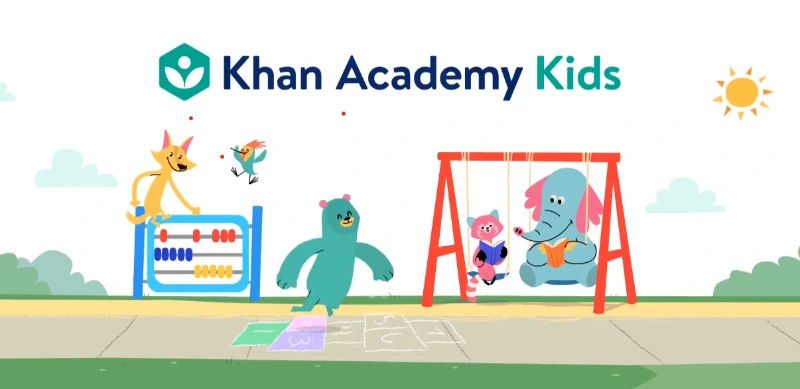
If you download one app, make it this. Khan Academy Kids is completely free, with no ads or subscription, because a nonprofit runs it. It covers early literacy, letters, sounds, phonics, and simple stories through friendly characters, and it adapts to your child’s level, from ages two to eight.
You can also hand-pick specific lessons rather than follow the set track, which parents of advanced or bored kids love. For a free app, it is astonishingly good, and it is the first one most teachers and parents recommend.
Duolingo ABC
Another completely free, no subscription app, and a repeated favorite in the parent discussions. Duolingo ABC focuses on phonics and first words through short, game like lessons for ages three to eight. Several parents said their child entered kindergarten already reading thanks to it.
The one note from parents: a few kids get very excited then burn out quickly, so keep sessions short and let it stay fun.
Starfall
A gentle, long-trusted name that has taught phonics online for years. The reading lessons are free through first grade level, starting with letter sounds, moving into blends, and then into short stories designed so kids can skip around and still find what they need.
Only the fuller kindergarten curriculum is paid. It is warm, simple, and light on flashy distractions, which makes it a lovely low pressure option.
Teach Your Monster to Read
A beloved, research-backed phonics game where children help a monster on an adventure while learning letter sounds and blending. It is thorough, genuinely fun, and famously effective. Parents reported children learning to read almost on their own with it, and completing it more than once.
It is free to play on the web, with only a small one-time fee for the mobile app and no subscription, which is why it keeps topping parents’ lists. One charming warning from parents: your child may pick up a slight British accent for a while.
Read Along by Google and Lucas and Friends
Two more genuinely free options worth knowing. Read Along by Google (free) lets a child read aloud while a friendly assistant listens and helps when they get stuck, good for independent practice. Lucas and Friends offers several free, ad-free phonics apps aimed at the preschool and kindergarten crowd.
Best Apps to Teach Kids to Read (Phonics and Learn to Read)
These are the structured reading learning apps for kids, built around real reading instruction dressed up as a game. If your goal is to actually teach a child to read from the start, this is your section.
Reading Eggs
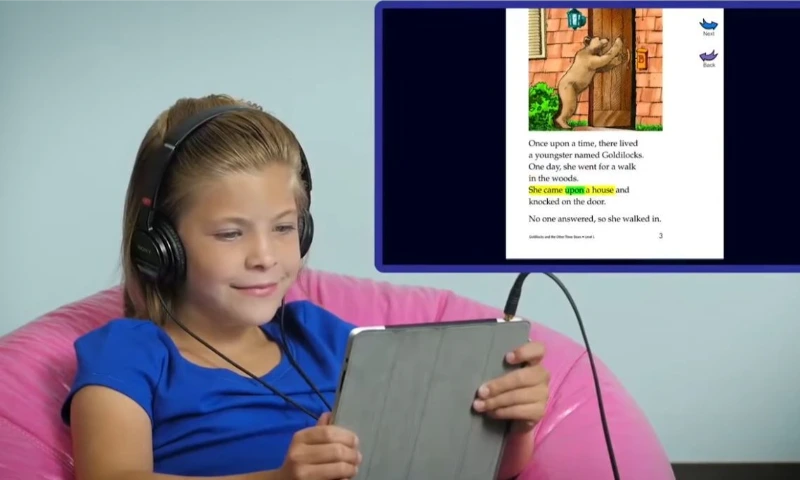
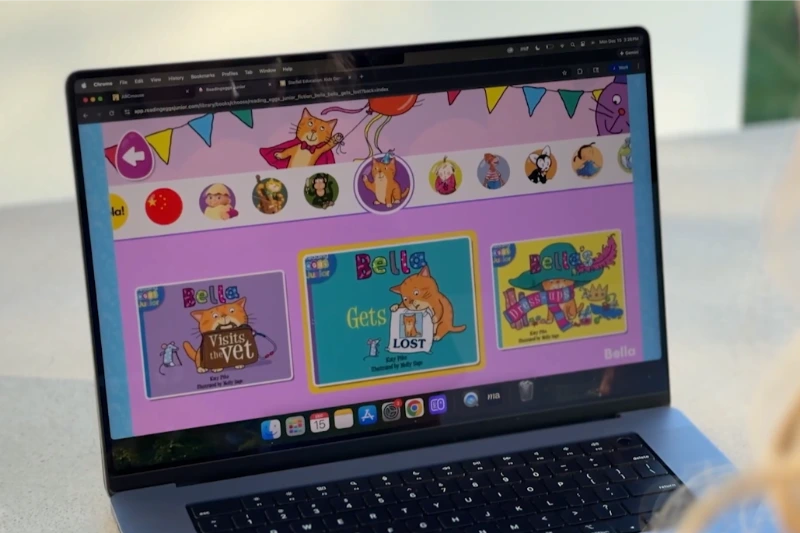
One of the most complete and most recommended learn to read programs anywhere. Reading Eggs starts with a placement test so your child begins at the right level, then guides them through lessons, songs, games, and rewards covering phonics, vocabulary, fluency, and comprehension.
Its Fast Phonics section gets a special mention from parents for struggling readers, and a built-in library of thousands of leveled books lets kids practice what they learn. It grows with your child into Reading Eggspress for older readers, and the same account includes Mathseeds.
Expect around $10 a month or $70 a year for up to four children, with a 30-day free trial. Remember the tip: buying on the website is often cheaper than through the app.
Hooked on Phonics
The most structured option of all, and that is its strength. Hooked on Phonics walks children through reading in small, consistent steps: learn a sound, blend it into words, read those words in a short story, celebrate, repeat.
What sets it apart is that it is not only digital. When you subscribe, they mail physical practice packs each month, workbooks, beginner storybooks, and stickers that match the lessons, so your child writes, colors, and holds real books alongside the screen.
That blend is exactly what helps reading stick for many early readers. The first month is usually around $1, then about $16 a month, which also now includes spelling and math.
Reading.com
A name that came up again and again from real parents, often as the thing that finally worked. Reading.com stands out because it guides the parent through how to teach, step by step, which is a relief if you do not know where to start.
The lessons are short, it eases from letters and sounds into blending and reading words, and parents of kids with delays, dyslexia, or reading resistance reported real progress within weeks. A strong pick if teaching reading yourself feels overwhelming.
HOMER and ABCmouse
Two broader early learning platforms. HOMER builds a personalized reading path around your child’s interests, which keeps engagement high. ABCmouse is the widest of all, covering reading plus math, science, and art for ages two to eight at around $13 a month for up to three kids.
The trade-off with ABCmouse is focus: because it covers everything, the reading piece can feel like just one part of the mix, so it suits families who want variety more than pure reading instruction.
Reading Eggs vs Hooked on Phonics: which should you pick?
This is the single most debated comparison among parents, so here is the honest breakdown from what families actually reported:
- Choose Reading Eggs if your child picks things up quickly and enjoys a fast, game like, reward-driven experience. Parents found it clicked faster for quicker learners, and the variety keeps kids coming back.
- Choose Hooked on Phonics if your child needs more repetition, structure, and a steady linear path, or if you want physical workbooks alongside the screen to cut down pure screen time.
Many parents who tried both said the same wise thing: either one works, but the app is a supplement. What sealed the reading was pairing it with daily reading aloud and decodable Bob Books.
Best Reading Comprehension Apps for Kids
Learning to decode words is only half of reading. The other half is understanding what those words mean, and that is reading comprehension. These apps focus there, which makes them ideal once a child can sound words out but needs to read for meaning and fluency.
Readability
A standout for comprehension and fluency. Readability uses an AI tutor that listens as your child reads out loud, giving real-time feedback the moment they stumble, much like a patient reading coach.
It adapts across three levels, from a story time mode for pre readers to full sentences for advanced readers, and it builds comprehension and vocabulary alongside fluency, with analytics for parents. It suits ages three to ten and up, and costs around $20 a month after a free trial.
IXL and Lexia
Two school-grade programs families can use at home. IXL offers a diagnostic that pinpoints exactly where your child needs help across phonics, phonological awareness, comprehension, spelling, and vocabulary, from PreK through high school, at around $10 a month for language arts.
Lexia Core5 is used widely in schools and is proven to close reading gaps, with Lexia PowerUp for older struggling readers who want a more grown-up look.
Night Zookeeper and Reading Horizons
For something different, Night Zookeeper blends reading with creative writing and feels more like a game than schoolwork, best for ages six to twelve who have the basics down.
Reading Horizons is an Orton-Gillingham based program, a method with strong research support, especially for struggling readers. It comes in a younger Discovery level and an Elevate level for older students and English learners.
Best Reading Apps for Kids With Dyslexia
Children with dyslexia learn to read best with structured, multisensory, phonics-first instruction, and a few apps are built specifically for that. This is a gap most generic listicles ignore entirely.
A note worth saying: decoding (reading) and encoding (spelling) are different skills, so a child may need support with both. And if reading causes real distress, especially for a neurodivergent child, apps that make practice lower stress and more rewarding can genuinely help, as long as they sit alongside structured instruction.
Best Reading Apps for Independent Readers (Digital Libraries)
Once a child can read, the job changes. Now you want a big, exciting library that keeps them turning pages on their own. These are digital libraries built for kids.
Epic
Epic is the standout and the best all round library app for kids. It holds tens of thousands of books, audiobooks, and learning videos for children up to around twelve, in a safe, ad free space made just for them.
Kids browse by interest, read alone or follow along with audio, and parents can see what they are reading. It is free for teachers and a reasonable subscription for families. For a child who can read and simply needs great books to devour, nothing beats it.
Libby and Sora
Do not overlook the free route. Many public libraries offer huge children’s collections through Libby, the same free app adults use, and schools often provide Sora from the same company. With a library card, your child borrows ebooks and audiobooks at no cost, including popular series.
It is the most budget-friendly way to keep a hungry young reader supplied, and it teaches them that the library is a treasure chest.
Vooks and Storyline Online
For younger independent readers, Vooks turns storybooks into gentle animated read alongs, and Storyline Online (free) features real actors reading picture books aloud, lovely for building a love of stories.
Best Reading Apps for Toddlers (Ages 2 to 4)
At this age, it is not really about reading yet. It is about letters, sounds, and the simple idea that books are fun.
Endless Alphabet and Endless Reader are the longtime parent and teacher favorites here. They turn each letter and sight word into a cheerful little puzzle with monsters who act out the meaning, teaching letters, sounds, and vocabulary at once. They are forgiving and funny, and never make a child feel wrong. Khan Academy Kids also serves this age beautifully and, being free, is the natural first download.
Quick Guide: Which App by Age
Are Reading Apps Good for Kids, or Just Screen Time?
This deserves an honest answer, because parents feel strongly on both sides, and both sides have a point.
The case for caution is real. Reading is a human skill best taught by a human, and too much passive screen time is not good for young children. Many experienced parents and teachers in the research were firm: nothing replaces a parent reading aloud, a library card, decodable books, and simple paper and pencil games.
The case for apps is also real. For a child who finds reading frustrating, especially one who is struggling, neurodivergent, or has not had it “click” yet, a well designed app adds a little fun and a sense of progress to what can otherwise be a slog of “sound it out, try again.”
Used in short, purposeful sessions of around ten to fifteen minutes a day, alongside real books, the best phonics apps genuinely help.
The sensible middle ground, which most thoughtful parents land on, is this: apps are a supplement, not a replacement. Let them take the edge off and keep practice rewarding, but keep them next to bedtime stories and trips to the library, not instead of them.
A child who associates reading with warmth and small wins will always outread one who only ever taps a screen.
How to Get the Most From a Reading App
A few practical tips drawn straight from parents and teachers who saw results:
Which Reading App for Kids Should You Choose?
If your head is spinning, here is the simplest plan:
And through all of it, keep reading aloud together. The app is the helper. You are the teacher.
Looking for apps for your own reading too? See our full guide to the best apps for reading, covering ebooks, audiobooks, free library books, and reading trackers for every kind of reader.
Frequently Asked Questions
Every app here was chosen based on hands-on testing and on what real parents and teachers report. Prices and features change often, so please verify current details with each app before subscribing.