Apps That Read Books to You: The Honest Guide
Yes, plenty of apps will read books to you aloud using text-to-speech, and some apps will read to you for free. The best choice depends on what you want read.
For your own ebooks and PDFs, apps like ElevenReader, NaturalReader, and Voice Dream Reader work well. For free, your phone can already read almost any book on screen, including books open in the Kindle app. For human narration, you want audiobooks instead.
There is one catch almost no guide explains clearly, and it trips up thousands of people: you cannot just point a reading app at your Kindle library, because those files are locked.
This guide covers the apps worth using, the free built-in tricks, and exactly how to handle Kindle, PDFs, and even physical books. For a wider view of reading tools, see our roundup of the best apps for reading.
Can an App Really Read Any Book to You?
Mostly yes, with one honest limit. Any app can read text it is allowed to open, such as your own EPUB, PDF, Word, or text files, plus web pages and documents. What they cannot freely open are DRM-protected files, like the books in your Amazon Kindle library. Those need a different approach, covered further down.
So the real question is not “is there an app,” but “what format is your book in, and who locked it.”
Free Ways to Make Your Phone Read Books to You
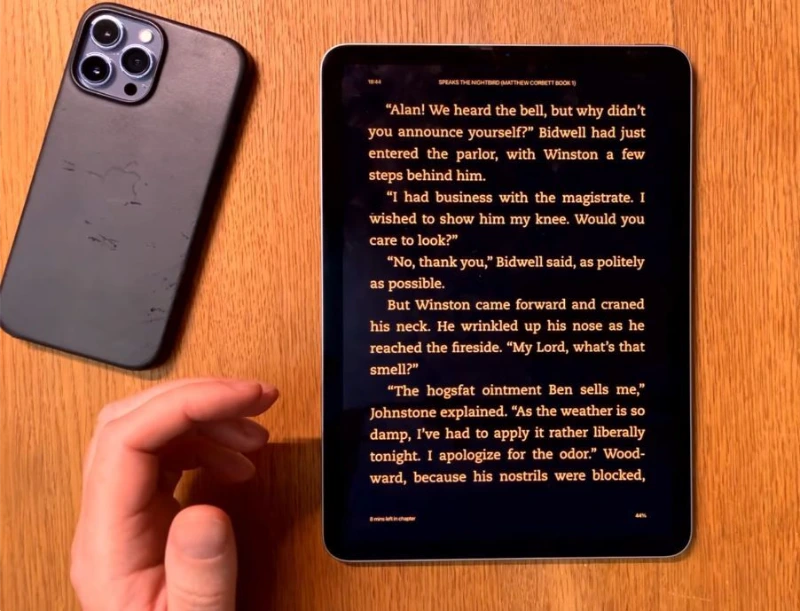
Before you pay for anything, know that your phone already has a built-in reader. This is the tip the paid apps would rather you skip, and it reads almost any text on your screen for free.
On iPhone or iPad: Speak Screen
Turn on Speak Screen, then swipe down from the top of the screen with two fingers to hear the page read aloud. Go to Settings, then Accessibility, then Spoken Content, and switch on Speak Screen. Pick a Siri voice for the most natural sound.
The best part: this works in almost any app, including the Kindle app and Apple Books, and it turns the pages for you. For many people, this replaces a paid service entirely.
On Android: Select to Speak
Android has a similar free tool called Select to Speak. Turn it on under Settings, then Accessibility, then Select to Speak, then tap the button and point it at the text you want read. Android also offers Reading Mode, which can read articles and books aloud with adjustable voices and speed.
On a Computer: Edge and Word
On a laptop, Microsoft Edge has a built-in Read Aloud button that voices any web page or PDF you open in it, with natural voices and no cost. Microsoft Word also has a Read Aloud feature under the Review tab, so a document, or an EPUB you convert to Word, can be read to you for free.
The Best Apps That Read Books to You
If the built-in tools are not enough, these dedicated apps give you better voices, more control, and features like word highlighting. Here are the ones worth your time.
ElevenReader, Most Natural AI Voice
ElevenReader, from the AI voice company ElevenLabs, has some of the most human-sounding voices available, and it has a free tier. You import a document, an ebook, an article, or a PDF, and it reads it aloud. It is a strong first stop if natural voice quality matters most to you. [NEEDS VERIFICATION: current free-tier limits, which users report have tightened.]
Speechify, The Big Name
Speechify is the most heavily advertised option, and it imports text from many sources, including a connected Kindle library. It has a limited free plan, and Premium costs $29 a month or $139 a year (Speechify). The voices are good, but the free phone methods above may be all you need.
NaturalReader
NaturalReader is a long-running text-to-speech tool with free and paid versions, available on web, mobile, and desktop. It reads PDFs, ebooks, and documents, offers a range of natural voices, and lets you adjust speed. It is a reliable middle-ground pick between the free built-ins and pricier Speechify.
Voice Dream Reader
Voice Dream Reader is a favorite for serious and accessibility-focused readers, especially on iPhone and iPad. It supports EPUB, PDF, Word, and more, includes OCR to read image-based PDFs, and gives fine control over voices, speed, and highlighting.
@Voice Aloud Reader, Free on Android
@Voice Aloud Reader is a well-liked free Android app that reads PDFs, EPUB, MOBI, text, and web pages. It highlights each word as it reads, remembers your place in every book, keeps playing with the screen off, and works with Bluetooth headphone buttons. For Android users who want a free, no-fuss reader, it is a top choice.
Speech Central and Balabolka
Two more solid picks. Speech Central reads articles, documents, and ebooks on mobile and offers a workaround for higher-quality voices at a fraction of Speechify’s cost. On Windows, Balabolka is a free desktop program that reads many file types and can save the audio as an MP3 to play later.
Can You Get Your Kindle Books Read Aloud?
This is the single most common question, and the honest answer has three parts. The Kindle app does not simply hand its files to other apps, so the method depends on your device.
On iPhone or iPad
Use the free Speak Screen trick above. Open your book in the Kindle app, swipe down with two fingers, and your phone reads the Kindle book aloud and turns the pages. This is the easiest way, and it costs nothing.
On Android
The native Kindle app for Android has no built-in read-aloud feature, so Speak Screen’s equivalent is less seamless. Many Android readers instead use Google Play Books, which has a Read Aloud option, or a reader like Moon+ Reader for books they own.
Let Alexa Read Your Kindle Books
If you have an Alexa device or the Alexa app, a feature called Kindle Assistive Reader can read most books in your Kindle library out loud. Just say “Alexa, read my Kindle book,” then the title.
It works with Kindle Store books, Kindle Unlimited, Prime Reading, and library books sent to your Kindle. The voice is synthetic rather than a professional narrator, but it is handy while driving or doing chores.
How to Get a Physical Book Read to You
A physical book has to be turned into text first, and there is no instant shortcut. You take a photo of each page, let an app convert the image to text with OCR, then have it read aloud. Apps like Voice Dream Reader include OCR, and phone scanner tools can export text to a reader.
Be aware of a common marketing myth. Some ads suggest you snap a photo of a book cover and the app reads the whole book. That only searches for an existing audiobook of that title. It does not read your actual copy.
Best for Reading PDFs and Documents Aloud
For PDFs, the strongest free option is Microsoft Edge, which reads any PDF you open in it. On a computer, Adobe Acrobat Reader has a Read Out Loud feature under the View menu. On Android, @Voice Aloud Reader and eReader Prestigio both read PDFs with word highlighting, which is useful for research papers and textbooks.
For image-based or scanned PDFs, you need an app with OCR, such as Voice Dream Reader, since the text is locked inside a picture.
Apps That Read to You vs Audiobooks
People search for “books that read to you” or an “audiobook reader,” but these can mean two different things, and knowing the difference saves money.
Text-to-speech apps read any text in a synthetic voice, which is perfect for your own files, documents, and books with no audio edition. Audiobooks are recordings performed by human narrators, which sound far better but exist only for titles someone has produced.
If you want polished narration, borrow free audiobooks through Libby or subscribe to a service. See our guide to the best audiobook apps for that side.
Why Do Text-to-Speech Voices Sound Robotic?
Because basic text-to-speech uses older synthetic voices with a flat tone and no emotion. Standard device voices often sound stilted, which is the most common complaint readers have.
Newer AI voices, like those in ElevenReader or the Siri Neural voices built into Apple devices, sound much closer to human. If a voice grates on you, switch to an AI or neural voice before giving up.
How to Choose the Right App
Match the tool to your situation, and do not pay before trying the free route:
If you are also shopping for a reading app with this built in, our guide to the best book reader apps covers readers that include text-to-speech.
Frequently Asked Questions
This guide is based on real reader discussions, hands-on use of these tools, and official sources, including verified Speechify pricing and the built-in accessibility features documented by Apple and Google. App features and prices change often, so confirm current details before subscribing.